
Newsletters & sequences
Build a welcome email sequence
Send a guide on signup, wait two days, then invite the reader to your offer.
Added to the help center: November 2, 2026
On this page
Set the trigger and timing
In Sequences, create a draft. Choose the signup group as the trigger. Add an email with the promised guide, a delay of two days, and a second email with the workshop invitation. Add the personal checkout offer to that second message.
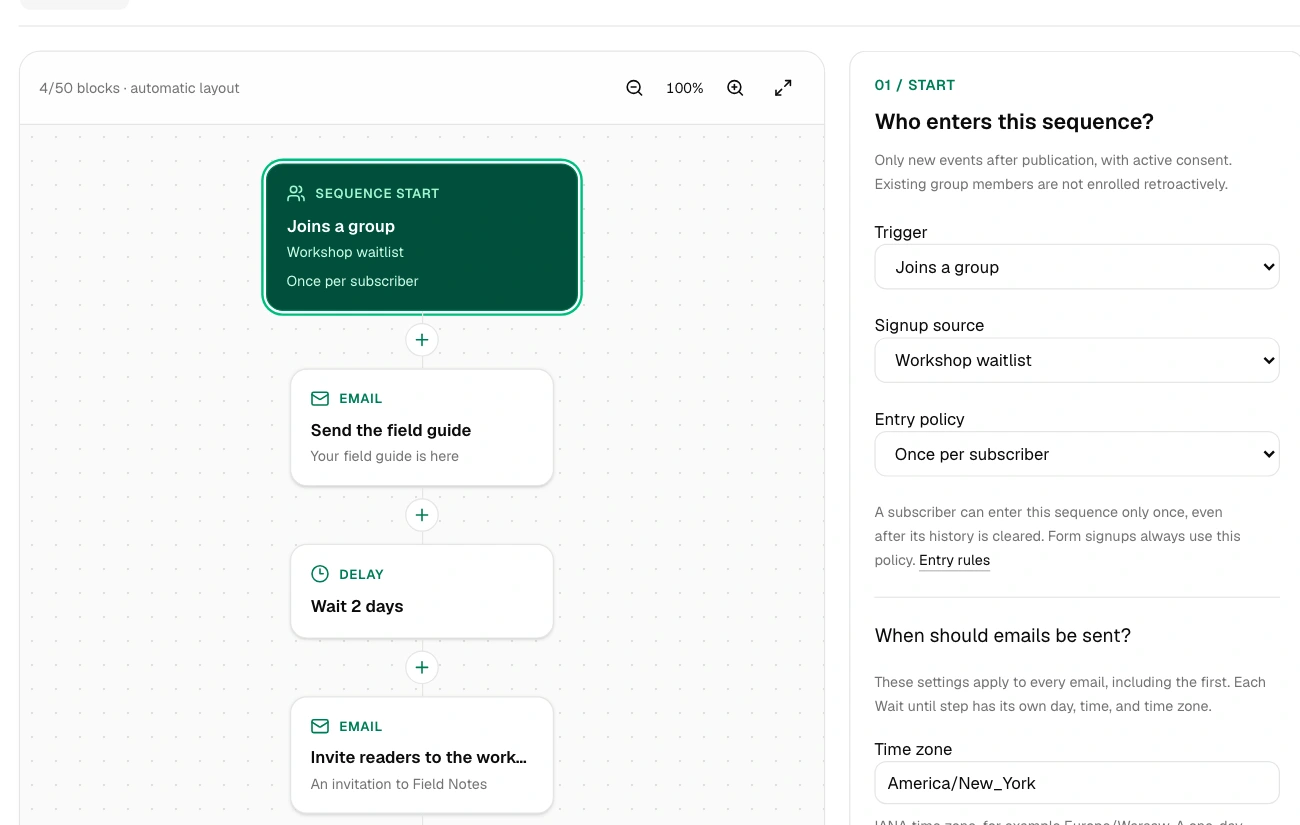
Count the delay from signup when planning the deadline. If the offer starts at signup and lasts five days, a reminder on day two leaves three days to buy.
Try a new signup
Review the sender, subject and links in each email. Activate the sequence for a test group first. Join with a new subscribed address and check that it enters the sequence. Verify the first email, the delay and the checkout destination before opening it to your audience.