
Apresly Platform
From inbox to first lesson.

Build with Codex or Claude.
Connect your assistant to Apresly through MCP. Pick a task to see an example brief and the screen where you review the work.
Example prompt
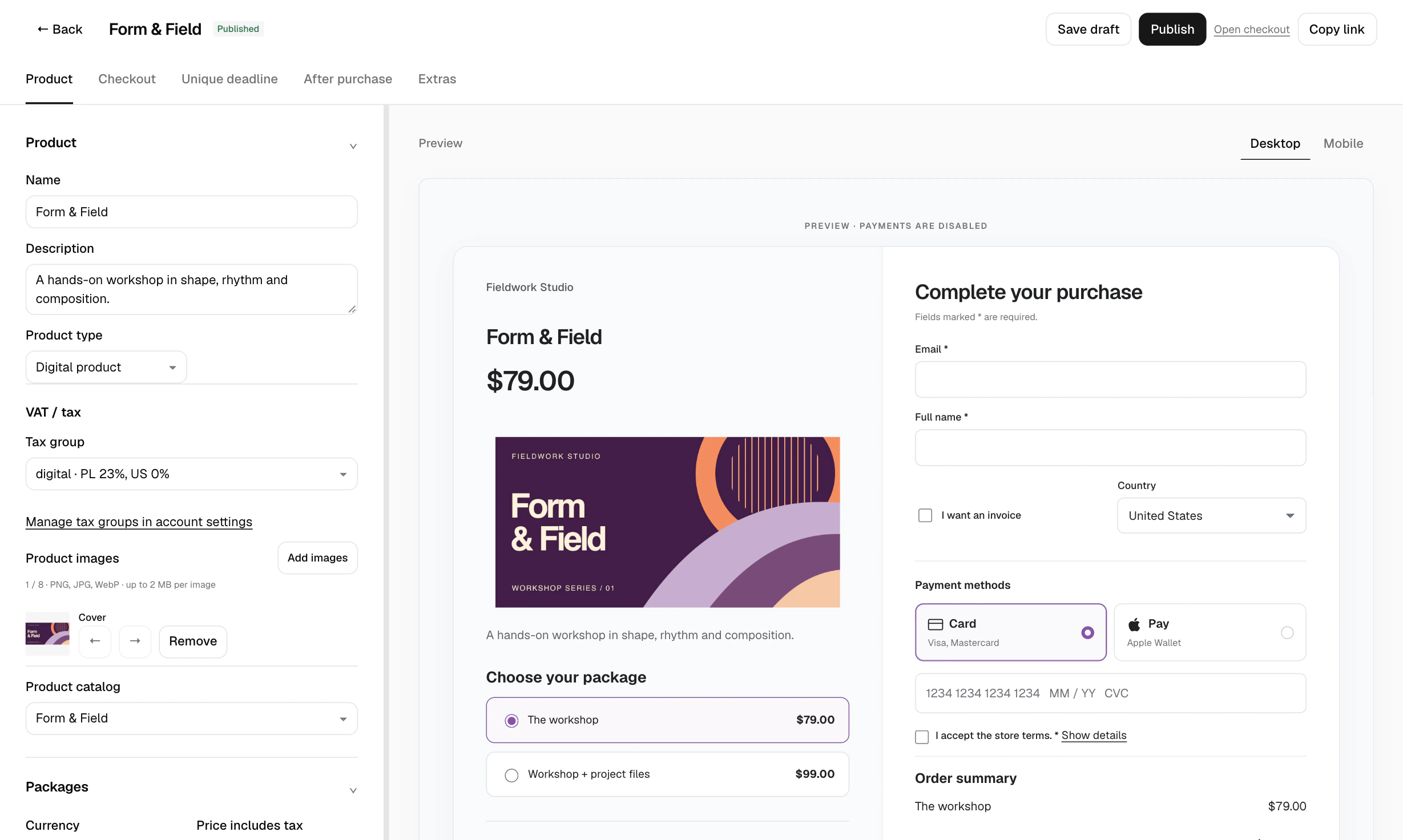
Create a checkout for my $79 print workshop. Add a $14 workbook and leave the checkout in draft.
Review the packages and extras before publishing.
Connect your assistant
In your seller workspace, open Settings and select Agent connections. Create a connection with access to checkout. Use the connection settings in your assistant, then paste the prompt.
Example prompt
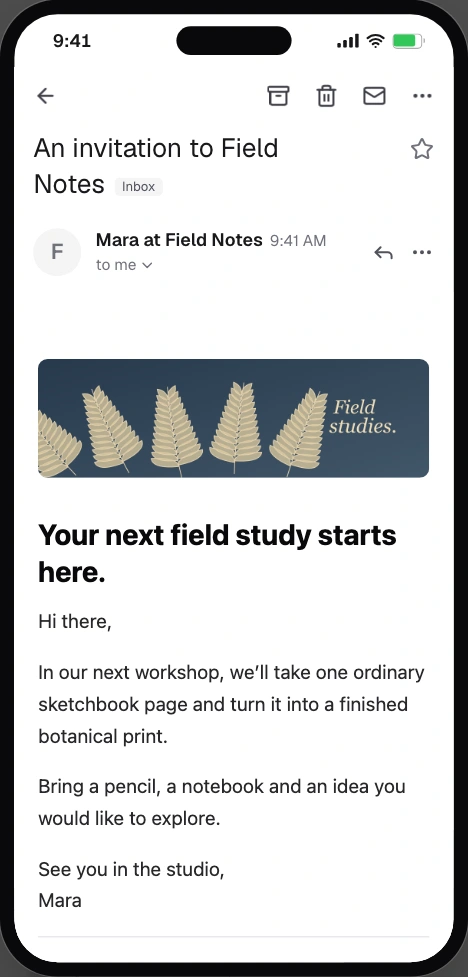
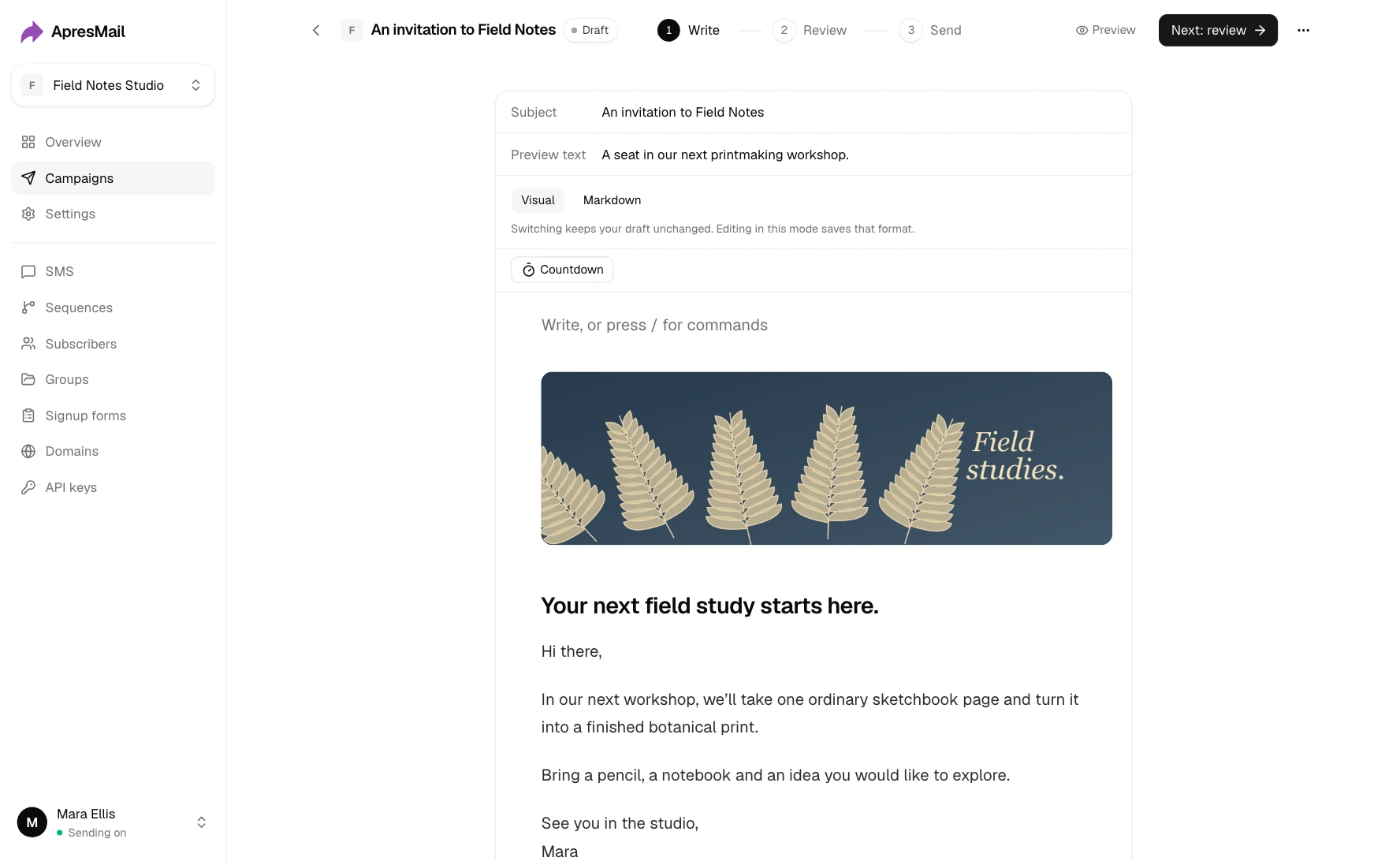
Draft an invitation to my print workshop. Give readers a subject line, a short introduction and a link to checkout.
Open the invitation in the editor and send yourself a test.
Connect your assistant
Follow the ApresMail connection guide for your assistant, then paste the prompt into a new chat.
Example prompt
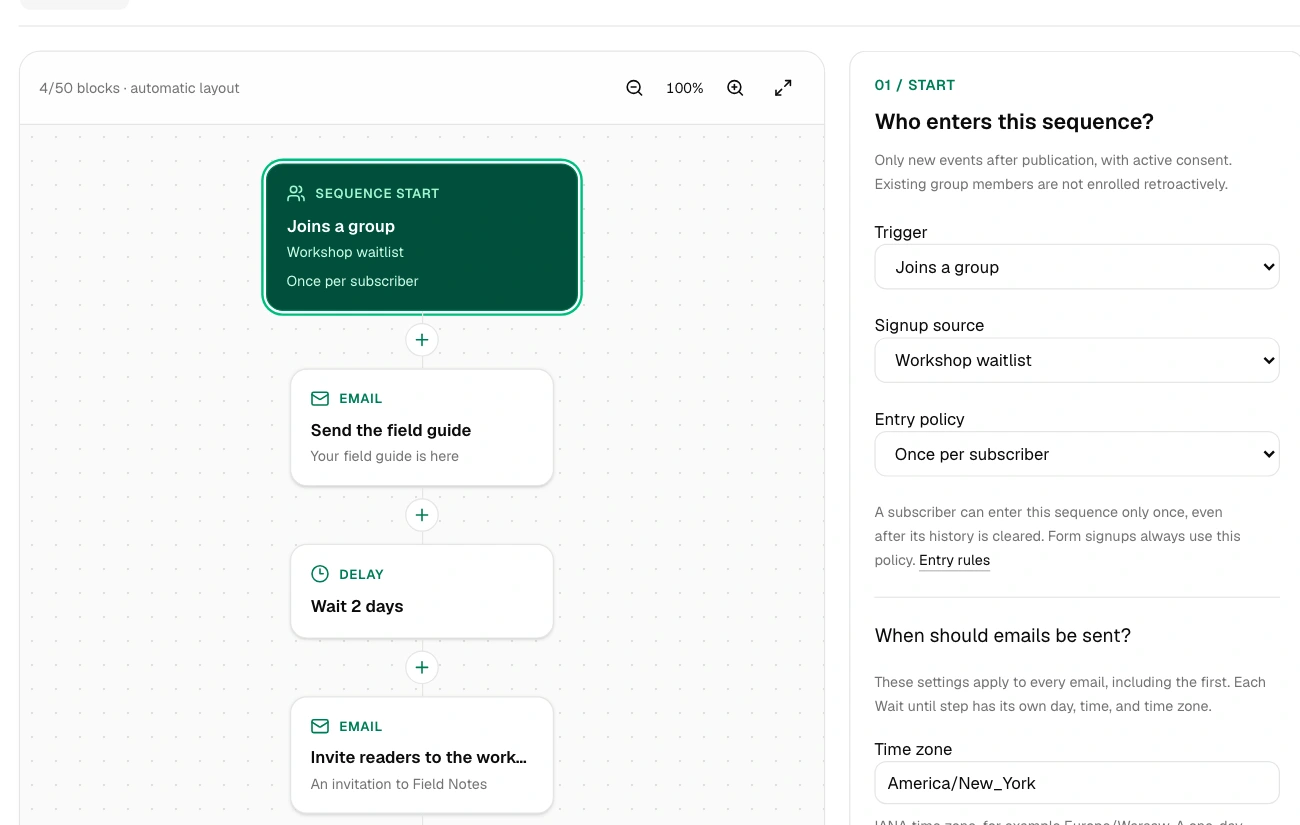
When someone joins my waitlist, send the field guide. Wait two days, then invite them to the workshop. Save the sequence as a draft.
Inspect the trigger, delay and emails in the sequence builder.
Connect your assistant
Follow the ApresMail connection guide for your assistant, then paste the prompt into a new chat.
Example prompt
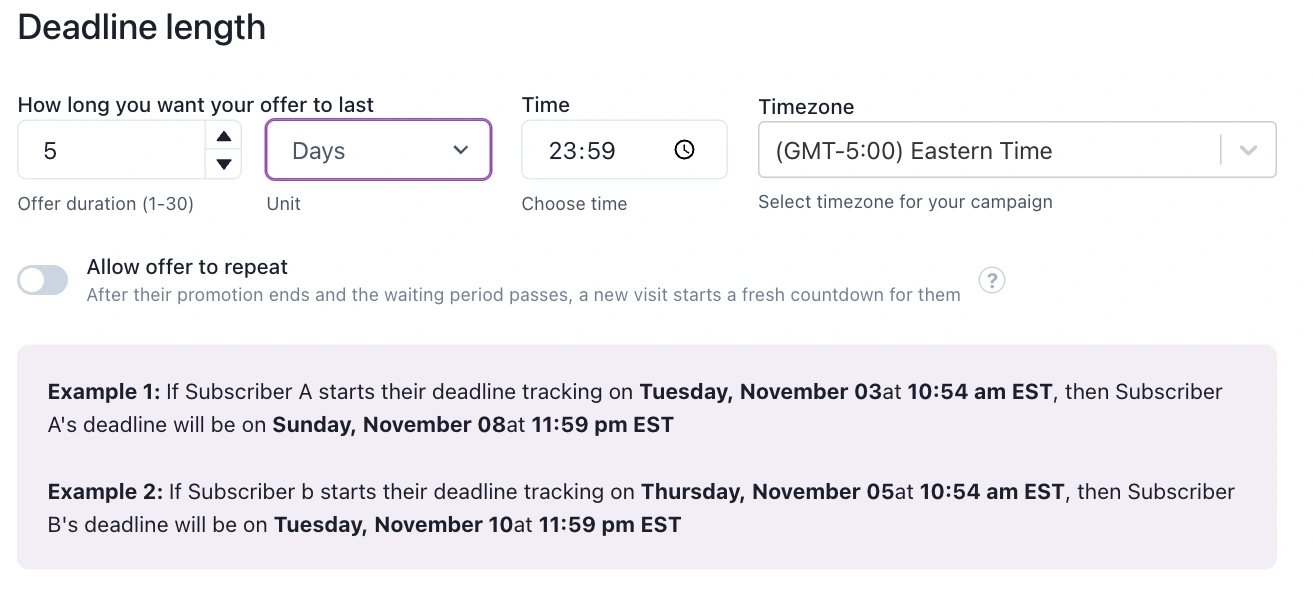
Set up a five-day evergreen offer. Show me when it closes for a Tuesday signup and a Thursday signup.
Compare closing times before you share the offer.
Connect your assistant
In Apresly, open the Public API panel and select Agent connections. Create a connection with access to campaigns. Use the connection settings in your assistant, then paste the prompt.
Example prompt
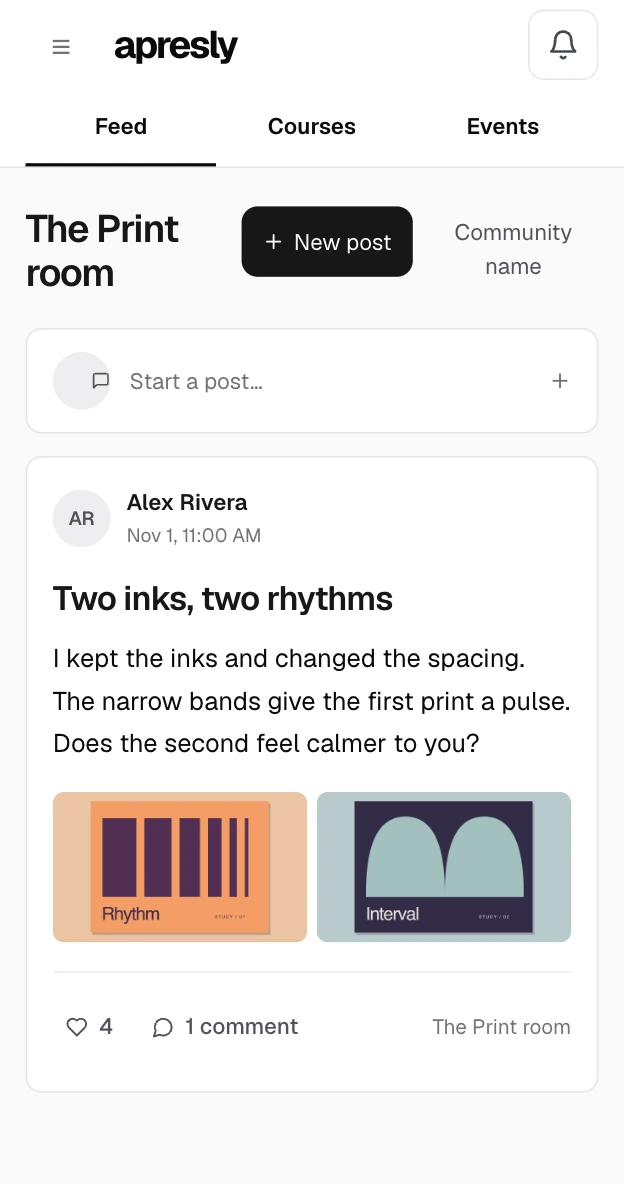
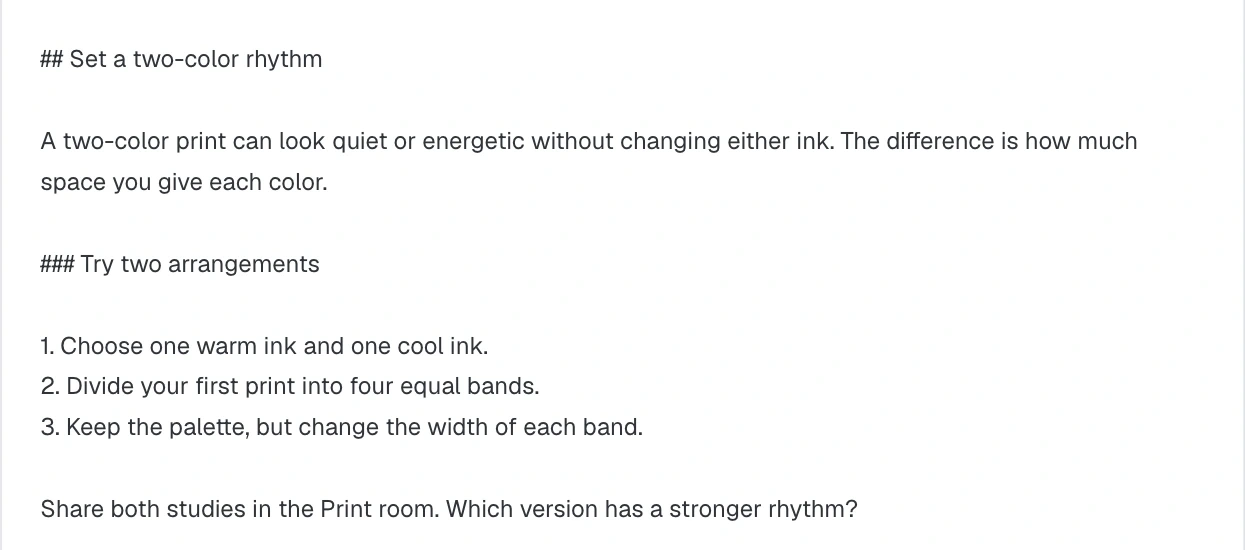
Draft a follow-up exercise for my two-color print lesson. Ask students to share their work for feedback.
Review the lesson in your course editor.
Connect your assistant
In your seller workspace, open Settings and select Agent connections. Create a connection with access to courses. Use the connection settings in your assistant, then paste the prompt.
Conversion tools
Explore countdowns, notifications and evergreen funnels.
Social Proof Notifications
Show real-time purchase activity to build trust and social validation instantly.
Explore featureEmotional Popups
Display personalized messages that motivate, help, and connect with visitors at key moments.
Explore featureLimited Spots Notifications
Display declining availability in real-time to create scarcity urgency that drives action.
Explore featureEmail Countdown Timers
Add live countdown timers to email campaigns that update every time subscriber opens.
Explore featureWebsite Countdown Timers
Display dynamic countdown timers on website pages to create visual urgency.
Explore featureSynced Countdown Timers
Keep countdown timers synchronized across all devices and platforms automatically.
Explore featureEvergreen Countdown Timers
Create personalized automated deadlines for each visitor that run continuously.
Explore featureLimited-Time Offers
Run flash sales with visual countdown urgency and authentic expiration enforcement.
Explore featurePerfect Cross-Channel Sync
Maintain identical deadline across email, website, and all devices for each visitor.
Explore featureIndividual Deadlines in Email Automation
Give each subscriber their own personal countdown throughout automated email sequences.
Explore featureAuthentic Urgency
Create real deadlines with server-side enforcement that can't be manipulated or reset.
Explore featureEvergreen Campaigns
Launch once, sell forever with automated funnels running 24/7 on personal timelines.
Explore featureAutomated Webinar Funnels
Turn recorded presentations into 24/7 sales machines with personal viewer deadlines.
Explore featureTripwire Funnels
Convert low-ticket buyers into high-ticket customers with automated one-time offers.
Explore featureNo matches. Try another search.