
Apresly platformFor online stores
A personal promotion deadline for every shopper
A shopper joins your newsletter and has 72 hours for the welcome price. They see the same time in the email and on the product page. Your store stays on PrestaShop, WooCommerce or Shopify.
Example store and prices. The countdown runs live.
Your store stays where it is
Apresly runs next to your store. Add the tracking code to the head section of your theme, connect your email platform with an API key and set up a campaign. Products, cart, payments and shipping stay where they are.
- PrestaShop
- WooCommerce
- Shopify
- Custom store
An online store on PrestaShop already runs on Apresly personal deadlines.
Five campaigns for a store that sells physical products
Each example is the same Apresly campaign set up differently: the type, when it starts, how long it runs and what happens after the deadline.
Someone who signs up on Monday at 8 p.m. keeps the welcome price until Thursday at 8 p.m. Someone who signs up on Wednesday gets their own 72 hours from Wednesday. The email countdown and the bar on the product page show the same time.
- Campaign type
- Evergreen
- Countdown starts
- Joining a list in your email platform, for example Klaviyo
- Length
- 72 hours
- Tools
- Email timer, sticky timer, inline timer under the price
- After the deadline
- Redirect to the regular price page
The abandoned cart automation in your email platform tags the contact. From that moment the shopper has 24 hours of free shipping. When they come back to the product page and try to leave, the exit popup shows how much time is left.
- Campaign type
- Evergreen
- Countdown starts
- The contact gets a tag or joins a list
- Length
- 24 hours
- Tools
- Email timer, exit popup
- After the deadline
- The timer hides, the page stays
On the thank-you page the shopper sees a second candle at a lower price. The countdown starts when the page opens and lasts 15 minutes. The button leads to the product in your store.
- Campaign type
- One-time offer (tripwire)
- Countdown starts
- Opening the thank-you page
- Length
- 15 minutes
- Tools
- Inline timer, Apresly Pixel
- After the deadline
- A zeroed timer labelled “Expired”
Every shopper has the same deadline: Sunday, 11:59 p.m. The Limit Bar shows what is left of the launch allocation, and the social proof popup shows the number of purchases in the last 24 hours.
- Campaign type
- Fixed deadline
- Deadline
- Sunday, 11:59 p.m., the same for everyone
- Tools
- Limit Bar instead of the sticky timer, email timer, social proof
- Social proof
- Purchases counted by the Apresly Pixel
- After the deadline
- Redirect to the collection page
The Limit Bar isn’t connected to your stock levels. You set the start value, end value and duration yourself, so match them to the allocation you actually have.
The deal returns every Thursday. The countdown bar appears on its own at midnight and disappears at 11:59 p.m. You don’t reset the campaign every week.
- Campaign type
- Periodic
- Deadline
- Every Thursday, from midnight to 11:59 p.m.
- Tools
- Sticky timer, emotional popup
- Popup
- “Roasted Wednesday, shipped Thursday”
- After the deadline
- The timer hides until next Thursday
Products, prices and numbers in the examples are illustrative.
The deadline belongs to the shopper, not the browser
Campaign links in your emails tie the deadline to the contact in your email platform. A shopper reads the email on a phone, orders on a laptop and sees the same time. A new device doesn’t restart the countdown.
Six tools for email and product pages
Pick them in the campaign wizard and style each one to match your store.
Paste the HTML into an email in Klaviyo, MailerLite or ActiveCampaign. Every recipient sees their own time, and the “Expired” label after the deadline.
A bar at the top of the product page. On a phone it can start collapsed to one line.
A countdown inside the page, for example right under the price. Colours, labels and template match your store.
Appears when a visitor tries to leave. A title, subtitle, image and a button with your link.
The number of purchases, signups or views in the last 24 hours. Purchases are counted by the Apresly Pixel on the order confirmation page.
A promotion availability bar instead of a timer. You set the start value, end value, duration and how it declines.
What a shopper sees after the deadline
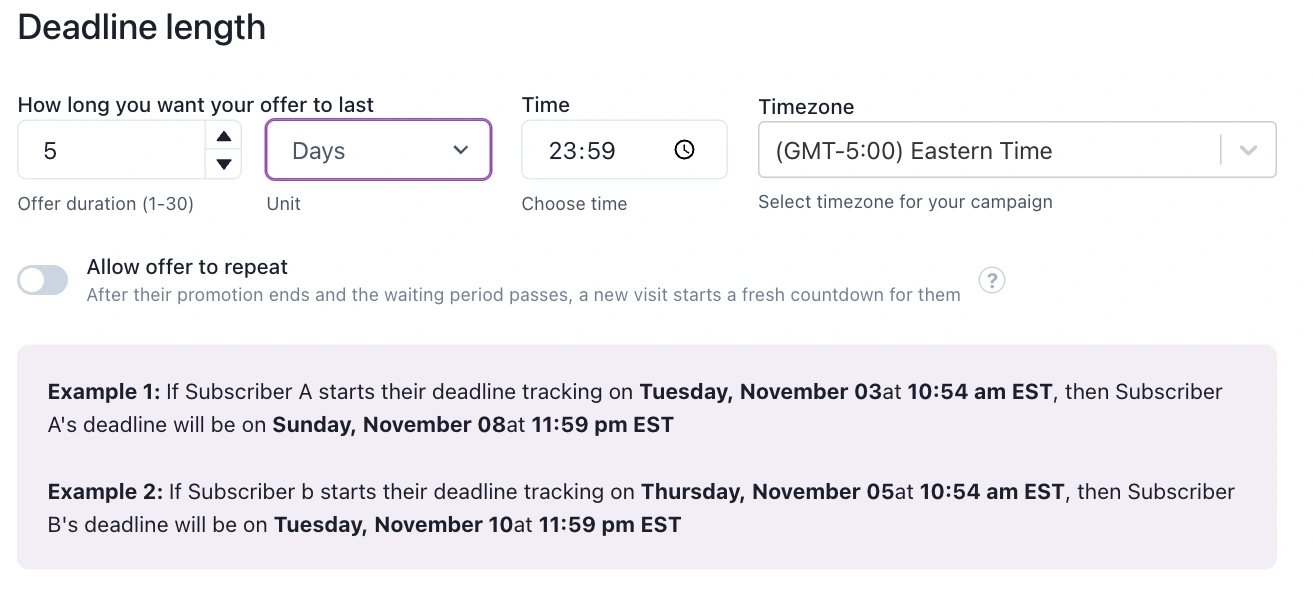
Choose one of three behaviours. You can also allow the offer to repeat: a visit a set number of days after the deadline starts a new countdown.
What your store does and what Apresly does
- Products, variants and photos
- Prices and discount codes
- Stock levels
- Cart, payments and shipping
- Invoices and returns
- Each shopper’s deadline
- Countdowns in email and on the page
- Popups and the Limit Bar
- The redirect after the deadline
- Campaign sales in analytics
Store prices don’t change on their own. Keep the promotional price on a separate page or product: after the deadline Apresly redirects from it to the regular price page.
Set up in six steps
- Connect your email platformKlaviyo, MailerLite, ActiveCampaign, Kit, GetResponse or Mailchimp, with an API key.
- Add the tracking codeTo the head section of your store theme. The campaign wizard confirms with a green check that the page has it.
- Choose a campaign typeEvergreen, fixed deadline, one-time offer or periodic. Set the length in minutes, hours, days or weeks.
- Add the pagesThe product pages with the countdown and the address for after the deadline.
- Update your emailsPaste the countdown code and swap plain URLs for campaign links so the deadline works on every device.
- Add the Apresly PixelOn the order confirmation page, to see sales from the campaign.
Campaign sales in numbers
Code on the order confirmation page. Purchases go to campaign analytics and to social proof popups.
When you can’t add code to the post-payment page, you swap the link to it for a tracking link.
Separate links for email, ads and pages, so you can compare which source sells.
Your store’s first campaign with a deadline
Start with a welcome discount. If your store runs on an unusual platform, write to us and we’ll check the code installation.
Questions from stores
Does Apresly work with PrestaShop, WooCommerce and Shopify?
Yes. Apresly works on any page where you can add the tracking code to the head section, including product pages in these stores. An online store on PrestaShop already uses personal deadlines.
Does Apresly change prices in my store?
No. Prices, discount codes, stock and payments stay in your store. Apresly tracks each shopper’s deadline, shows it in email and on the page, and after the deadline can redirect from the offer page to the regular price page. That’s why the promotional price works best on a separate page or product.
What about discount codes?
A discount code stays valid for as long as you set it in the store. Apresly doesn’t switch a code off at one person’s deadline. If the deadline has to be personal to the minute, send shoppers to an offer page that Apresly closes with a redirect.
What if a shopper opens the email on a phone and buys on a laptop?
They see the same deadline. Campaign links in your emails tie the deadline to the contact in your email platform, not to a browser, so switching devices doesn’t restart the countdown.
Does the Limit Bar show real stock?
No. The Limit Bar plays back the values you set: start, end, duration and how it declines. Use it for a promotional allocation you actually have, and update it when that changes.
Can a shopper who returns a month later get the offer again?
Yes, if you turn on offer repeat. You set a number of days after the deadline ends. Only a visit after that time starts a new countdown.
Do I need Apresly checkout or newsletter?
No. Your store keeps its checkout and your email platform keeps its lists. Deadlines is enough for store campaigns.
Which tools are in my plan?
Tool availability and limits depend on your plan. Check current pricing. Products and prices on this page are examples.